Tools & Workflow
The New Design Handoff Keep context moving.
A finished screen is only one part of the work. A useful handoff connects the decision, system, behavior, implementation, and review—without pretending every team needs the same tool or process.

The short read
Keep the boundary
Clear ownership still matters. The weak part is treating handoff as one final transfer that ends the conversation.
Pass decisions
Share why the direction exists, which rules it uses, which states matter, and what remains open—not only polished screens.
Close the loop
Review the real build and return what you learn to the source of truth. Context only stays shared when someone maintains it.
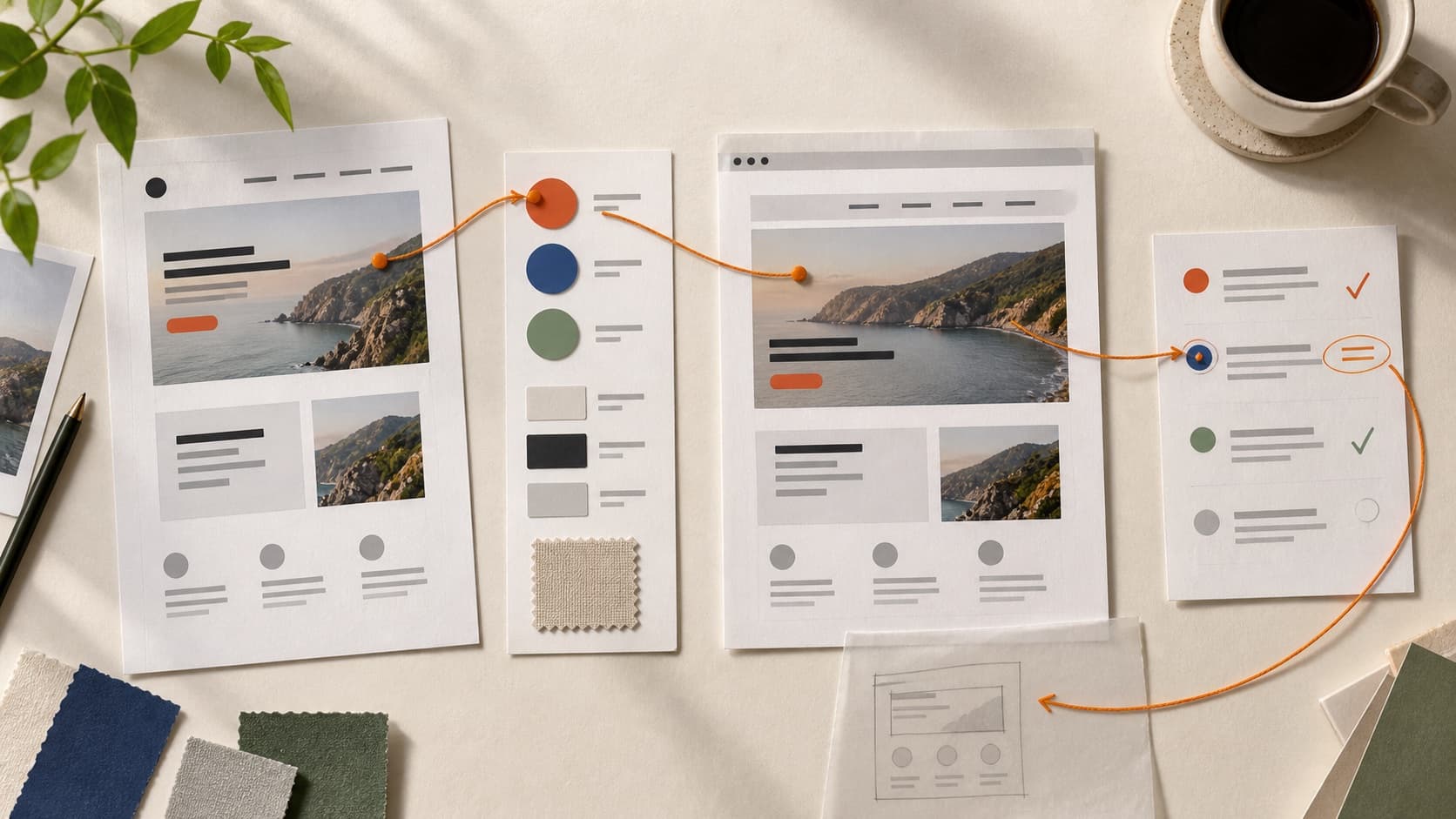
The short answer: handoff is a working agreement
Design handoff is the point where responsibility for making an interface real becomes explicit. That point still matters. A team needs to know which direction is approved, who is implementing it, what cannot be lost, and how questions will be resolved.
The problem is the old picture: a designer finishes a file, adds measurements, passes it to engineering, and waits for the result. A screen can show appearance. It rarely carries every state, content extreme, interaction rule, accessibility requirement, data dependency, or tradeoff behind the decision.
What changed is the distance between the artifacts
Design files, component libraries, repositories, and working previews can now share more context. That makes a shorter loop possible, but it does not make the loop automatic.
One-way package
Show the finished answer
Screens, redlines, and a ticket move forward. Questions and implementation discoveries are handled elsewhere, so the source can drift from the product.
Working loop
Keep the decision connected
The screen travels with its intent, system rules, states, owner, and review trigger. What the build teaches the team is recorded where the next decision will find it.
This is not a command to collapse every role into one person. It is a reason to reduce translation where it adds no value and preserve deliberate checkpoints where risk, accountability, or expertise makes them useful.
Choose a working model before choosing a tool
The lightest process that fits the risk
- A small team is exploring
- Pair in a shared design or code environment and review working states as the idea changes.Speed matters, and the cost of correcting direction is still low.
- A designer is shipping
- Treat the branch, preview, and system documentation as the handoff. Ask another person to review the result.Removing a role boundary does not remove the need for critique, testing, or code ownership.
- Design and engineering are separate
- Use a clear handoff checkpoint, then keep a question path and implementation review on the calendar.Ownership is clear without pretending the first package answered everything.
- A vendor or regulated team builds
- Use approved specifications, traceable decisions, acceptance criteria, and formal sign-off.Compliance, contracts, and distributed ownership can make a documented boundary necessary.
The minimum useful design handoff
Start with the information that changes implementation. A giant specification can still hide the five things the next person needs to know.
Before the work moves forward, make these findable
- Outcome and scope: what someone should be able to do, which flow or release this covers, and what remains outside it.
- Decision and evidence: why this direction was chosen, which constraints shaped it, and which claims are still assumptions.
- System mapping: the approved components, tokens, content patterns, and real exceptions used by the design.
- States and behavior: loading, empty, error, success, disabled, focus, motion, responsive changes, and content extremes that affect the task.
- Ownership and review: who answers questions, who can change the decision, and when the real build will be checked.
What should stay connected after handoff
Not every note deserves permanent documentation. Keep the context that will be reused, challenged, or changed.
- Design tokens
- Connect names to purpose and make the implementation source clear.A number such as 16px is not a decision; spacing-sm or text-body begins to explain one.
- Components
- Connect the visual source to the coded component and record meaningful differences.A similarly named Figma component and code component may still support different states.
- Interaction
- Connect the happy path to keyboard behavior, focus, errors, timing, and recovery.The most expensive gaps often live between the polished frames.
- Content and data
- Connect sample content to real length, permissions, loading, and data rules.Placeholder copy can make a layout look solved while hiding the actual constraint.
- Decision history
- Connect the current direction to one concise record of why it changed.The goal is not an archive of every idea. It is enough context to avoid reopening settled tradeoffs by accident.
If your component and token layer needs work, use the portfolio design system framework. If you need to understand the medium behind the mockup, start with browser fluency for designers.
Where Figma MCP, v0, Stitch, and coding agents help
The useful question is not whether a tool kills handoff. Ask which piece of context it can move reliably—and what a person still needs to judge.
Run the new handoff as a working loop
- 1Frame the decisionName the user task, intended outcome, constraints, current evidence, and the question that still needs an answer.
- 2Connect the systemUse the actual components and tokens when they fit. Record an intentional exception instead of quietly creating a near-duplicate.
- 3Show the behavior that mattersCover the states, content ranges, responsive changes, and accessibility requirements that could change the experience.
- 4Build in the real mediumUse a coded prototype, branch, preview, or production-like environment to reveal constraints the static artifact could not show.
- 5Review and return the learningCompare the build with the intended task. Fix the implementation, revise the design decision, or update the system so the next use starts from better context.
Review the product, not only the correspondence
A build can match the file and still fail the task. End the loop by inspecting what people will actually encounter.
Before calling the work complete
- Try the primary task with realistic content and data.
- Inspect small and large screens, zoom, long labels, empty results, loading, errors, and recovery.
- Use the keyboard and inspect focus order, focus visibility, labels, and interactive states.
- Measure contrast from the implemented colors when making a contrast claim.
- Check motion, reduced-motion behavior, touch targets, and the difference between hover and touch.
- Ask whether the design still makes the intended priority and next action clear.
- Record what changed and update the system when the lesson should survive this project.
This is where critique becomes useful. The goal is not to reward a perfect match or invent a problem from a screenshot. It is to notice the largest gap between the intended experience and the evidence in front of you, then choose the next move that will teach the team the most.
Sources and further reading
- Figma Developer Docs: MCP server — current capabilities, setup, context, and Code Connect guidance.
- Figma: Introducing the Figma MCP server — launch history and the design-to-code problem the tool addresses.
- v0 Docs: Git Import — repository import, previews, branches, and pull requests.
- Google Developers Blog: Stitch — prompt and image inputs, Figma export, and front-end output.
QuestionsAnswers
Questions, answered.
A few practical details before you keep going
Share this resource

Written by
Nikki KippleProduct Designer & Design Instructor
Designer, educator, founder of The Crit. I've spent years teaching interaction design and reviewing hundreds of student portfolios. Good feedback shouldn't require being enrolled in my class — so I built a tool that gives it to everyone. Connect on LinkedIn →
Want another set of eyes before the work moves forward?
Share the screen or flow you are about to hand off and tell us what feels risky. Your free First Read focuses on the most useful next move. The $9 Full Crit opens the wider submitted project and includes one revision check.