Fundamentals
Color Theory for Designers Choose, test, and explain color decisions
A practical guide to using color for hierarchy, meaning, accessibility, and character without treating a color wheel or palette formula as the answer.

The short read
Choose by role
Decide what color needs to communicate before choosing a hue.
Judge in context
Area, lightness, type, imagery, material, and neighboring colors change the result.
Test the evidence
Measure contrast, check states, and inspect the real screen or printed piece.
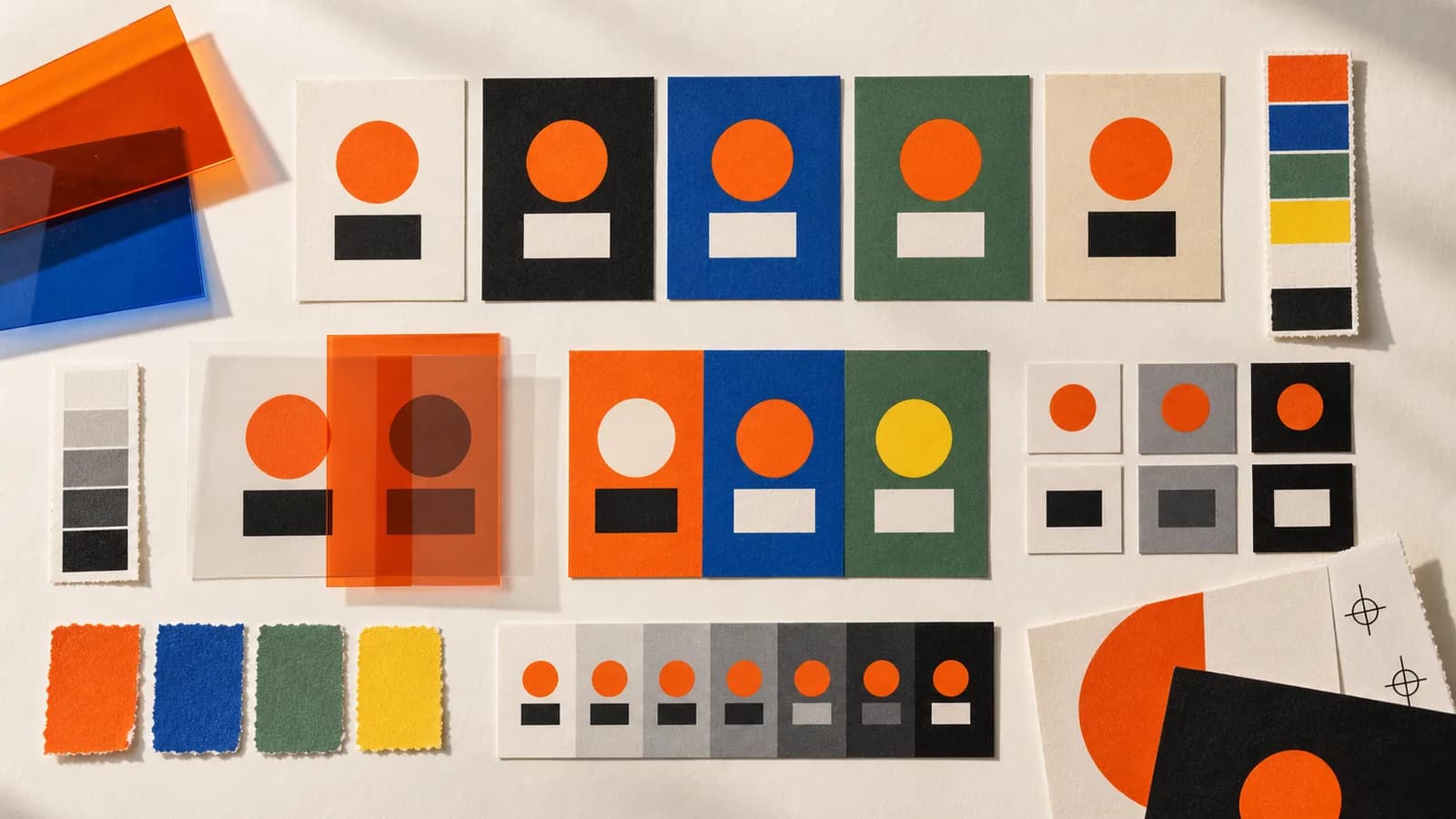
Start with the job, not the hue
A palette is not successful because its swatches look harmonious beside one another. It is successful when color helps someone read the work: what matters first, what is interactive, what changed, what belongs together, and what kind of experience this is.
Before opening a color picker, write down the jobs color needs to do. If the answer is only “make it feel more polished,” the brief is not specific enough yet.
Name the job before choosing the color
- Direct attention
- Create a clear difference between the primary action and everything around it.Area, placement, lightness, and surrounding whitespace may matter as much as hue.
- Communicate status
- Pair color with a label, icon, pattern, or other cue.The meaning should survive when the hue is not perceived as intended.
- Organize information
- Use a repeatable role for each category and keep the labels visible.Color can speed scanning, but it should not become the only way to understand the structure.
- Establish character
- Choose a direction, then test it with the actual typography, imagery, and material.A swatch does not carry one fixed personality on its own.
Control hue, chroma, and lightness separately
Designers often say two colors “do not work” when the real conflict is more precise. The hue may be right while the lightness steps are too close, or the chroma may be so high that every element asks for attention.
- Hue
- The family we name as red, blue, green, violet, and so on.Change hue when the relationship or association is the problem.
- Chroma or saturation
- How colorful or neutral the color appears within the color model you are using.Reduce it when too many elements feel equally loud; increase it when an important role disappears.
- Lightness or value
- How light or dark the color appears.Use it to build readable hierarchy and contrast. Similar hues can perform very different jobs when their lightness changes.
Use color relationships as starting points
A color wheel describes relationships between hues. It can help you find candidates, especially when a palette feels flat or disconnected. It cannot tell you how much of each color to use, whether text is readable, or whether the result fits the audience and content.
The traditional red-yellow-blue wheel is useful in many art and pigment contexts. Screen interfaces are produced with emitted RGB light, and print workflows often use CMYK inks. Treat the wheel as a design model rather than a literal description of every medium.
Complementary
Opposing hues can create clear separation, but equal saturation and equal area can make them compete.
Try: Try it when two roles need obvious distinction. Then reduce the intensity or area of one color.
Analogous
Neighboring hues can feel related, but hue alone may not create enough hierarchy.
Try: Use lightness, spacing, or type to separate roles that still need to scan differently.
Split complementary
A base hue plus the two neighbors of its complement offers contrast with more room to tune the balance.
Try: Give each hue a different job instead of distributing all three evenly.
Monochromatic
One hue across several lightness and chroma levels can make a system feel related.
Try: Check that the steps remain visibly distinct in the real interface, not only as isolated swatches.
Read color in context
Color associations are learned through culture, category conventions, language, personal experience, and the other elements in the design. “Blue means trust” is not a useful design decision by itself. The better question is whether this blue, in this system, supports what the work needs to communicate.
Too broad
Blue feels trustworthy
More useful
The muted blue keeps the financial data calm
Four context checks
- Audience
- What associations, conventions, or access needs might shape how this group reads the color?
- Category
- Which conventions help recognition, and which ones make every competitor look the same?
- Content
- Does the color support the image, message, data, or state it sits beside?
- Environment
- How does it hold up on the actual screen, paper, lighting condition, or material?
Build a palette that can do real work
Build from roles and combinations, not a target number of swatches. A palette can include many values and still feel controlled when every token has a job. A three-color palette can still feel chaotic when all three fight for attention.
- 1List the rolesName backgrounds, text, primary and secondary actions, links, borders, status states, charts, illustrations, or print requirements that need color.
- 2Make the neutral hierarchy workEstablish readable text, surfaces, and emphasis before asking hue to carry the structure.
- 3Choose candidate huesUse the brief, existing brand equity, category context, imagery, and color relationships to generate a small set of directions.
- 4Assign roles and pairingsDefine where each color may appear and which foreground-background combinations are approved. Name colors by role when the role matters.
- 5Test actual content and statesInclude long labels, errors, disabled controls, hover and focus states, charts, photography, dark mode, and the least forgiving screen or print condition.
- 6Document decisions and limitsRecord the purpose of each role, accessible pairings, production profiles, and any combinations that should not be used.
Check more than text contrast
Accessible color decisions begin with measurable requirements, then continue with real reading and interaction checks. WCAG 2.2 separates text contrast, non-text contrast, and the use of color because they solve different problems.
WCAG 2.2 color checks at Level AA
- Normal text
- At least 4.5:1 contrast against the background.Measure the colors that appear adjacent in the actual presentation.
- Large text
- At least 3:1 contrast. WCAG defines large as 18pt or 14pt bold and above.The threshold is a conformance minimum; thin strokes and typeface details can still affect reading comfort.
- Controls and graphics
- Required visual information generally needs 3:1 against adjacent colors.This applies to the parts needed to identify interface components, states, and meaningful graphics, with exceptions defined by the criterion.
- Meaning
- Do not use color as the only visual signal for information, an action, or a response.Add text, an icon, shape, pattern, position, or another visible cue.
Test the system, not one swatch pair
- Measure every text-background combination that can actually appear, including text over imagery and gradients.
- Check default, hover, focus, selected, error, success, and disabled states without depending on hue alone.
- Make links recognizable in surrounding text with more than a subtle color difference when needed.
- Inspect charts and maps with labels, patterns, shapes, or direct annotation as well as color.
- Use color-vision simulations to find possible collisions, then verify with contrast measurements and human testing.
- Test zoom, different displays, brightness settings, and real content. Passing a ratio does not guarantee comfortable reading.
Test the medium you will actually ship
A palette is not finished in the design file. Screens emit light and vary by display. Printed color depends on ink, paper, finish, profile, press, and viewing conditions. Bright RGB colors may fall outside a particular print gamut, and a dark brand color can shift substantially on uncoated stock.
- Screen work
- Test responsive layouts, light and dark contexts, real devices, dim and bright settings, and every interaction state.The same token may sit beside different colors as the interface changes.
- Print work
- Ask the printer for the intended color profile and proof critical colors on the actual stock and finish.A generic CMYK conversion cannot predict every production condition.
- Cross-medium identity
- Define acceptable digital and print equivalents instead of forcing one numeric value everywhere.Consistency is perceptual and functional, not simply identical channel values.
Audit the color system before shipping
- Every color has a named role or a clear reason to exist.
- The main hierarchy still reads when hue is temporarily removed.
- Primary and secondary actions remain distinguishable in their real surroundings.
- Normal text reaches 4.5:1 contrast and large text reaches 3:1 where WCAG applies.
- Required interface cues and meaningful graphics meet non-text contrast requirements.
- Status, categories, errors, and links do not depend on color alone.
- The least flattering real content has been tested, not only a clean mockup.
- Screen brightness, dark mode, and responsive states have been checked when relevant.
- Important print colors have been proofed with the intended profile, stock, and printer.
- Approved pairings and known exceptions are documented for the next designer.
If the hierarchy is still unclear after the palette passes these checks, the problem may be typography, spacing, or composition rather than color. The typography principles guide starts with a similar evidence-first audit.
Standards and useful references
The design recommendations above are professional judgment and starting points. The accessibility thresholds below come from WCAG 2.2.
QuestionsAnswers
Questions, answered.
A few practical details before you keep going
Share this resource

Written by
Nikki KippleProduct Designer & Design Instructor
Designer, educator, founder of The Crit. I've spent years teaching interaction design and reviewing hundreds of student portfolios. Good feedback shouldn't require being enrolled in my class — so I built a tool that gives it to everyone. Connect on LinkedIn →
Want another designer to read the color in context?
Send the actual page, screen, or composition. We will look at the palette in the work, not judge swatches in isolation.