Fundamentals
Design Validation Methods for Solo Designers
Six practical ways to gather better evidence when there is no design team beside you.

The short read
Start narrow
Write the decision you need evidence for before choosing a method.
Observe behavior
What people do usually teaches you more than a broad opinion.
Name the limits
A small check can guide a decision without proving universal usability.
Layer methods
Combine a structured review with relevant human observation when the stakes rise.
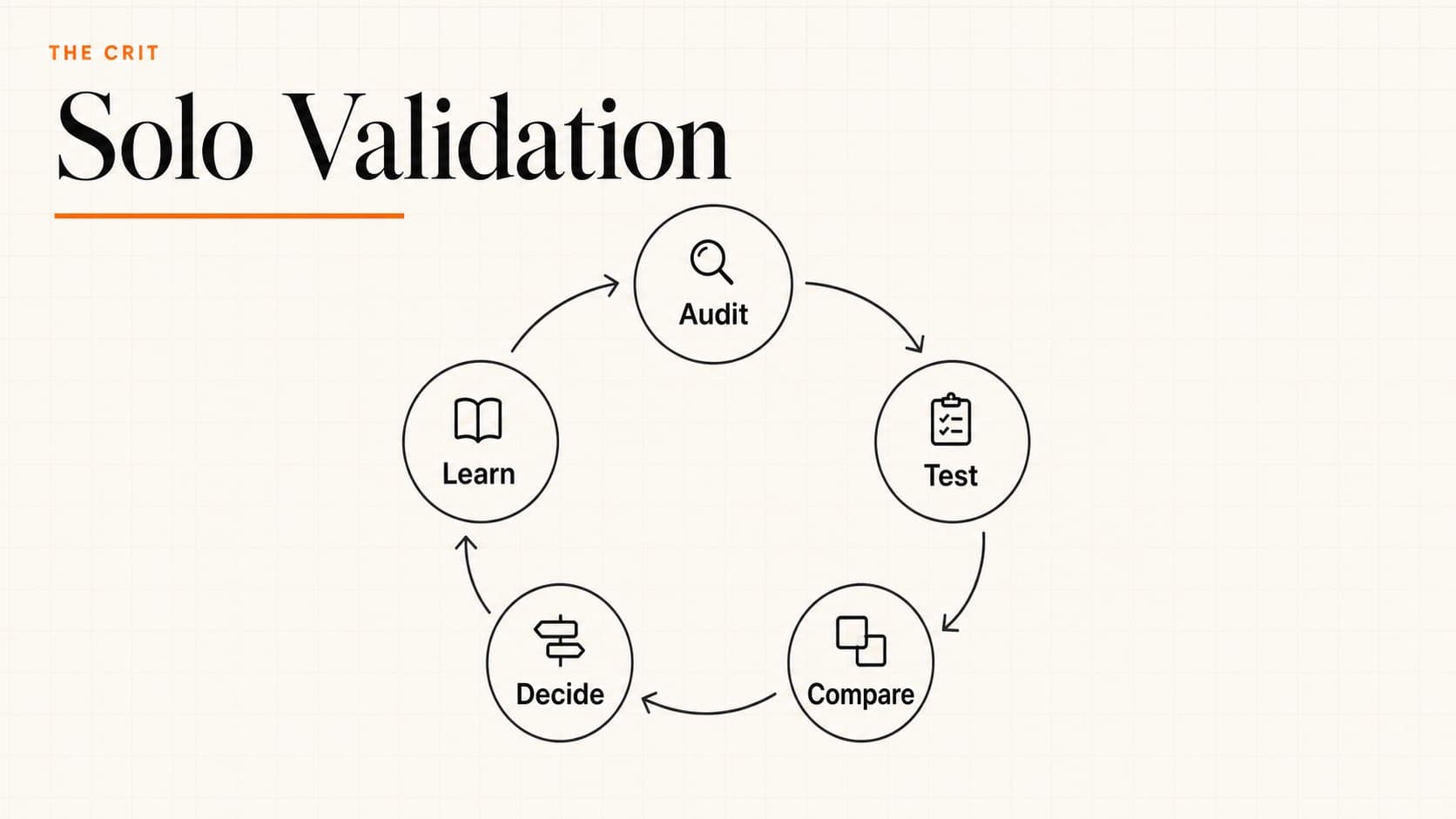
Choose the question before the method
“Is this good?” is hard to test. A useful validation question names a person, a task, and the uncertainty you need to reduce: Can a first-time visitor find the price? Does this label match what people expect? Which concept makes the service easier to understand?
1. Run a heuristic self-audit
Use a short principles-based pass before asking someone else for time. The goal is not to award a usability score. It is to catch preventable friction and make your later test more focused. Nielsen Norman Group describes heuristics as broad rules of thumb rather than specific usability requirements.
Five questions for a first pass
- Status: Can someone tell what just happened and what the system is doing?
- Language: Do labels use words the intended audience would recognize?
- Control: Can someone go back, cancel, or recover from a mistake?
- Consistency: Do similar elements look and behave alike?
- Prevention: Does the design make costly errors harder to commit?
Use the full 10 usability heuristics when you need a more complete review.
2. Watch a short observation session
Find someone reasonably close to the intended audience, give them a realistic task, and watch without teaching the interface. A few relevant sessions can reveal repeated confusion; they are not a statistically representative verdict.
- 1Name one task.Use a realistic goal such as “Find the return policy” instead of “Explore this page.”
- 2Give context, not instructions.Explain the situation without pointing toward the correct control.
- 3Observe before asking why.Note hesitation, wrong turns, and what the person expected to happen.
- 4Look for a pattern.Separate one person’s preference from behavior that repeats across sessions.
3. Make the strongest case against your direction
When you cannot get fresh eyes immediately, force your reasoning into the open. This is most useful for surfacing assumptions—not for simulating real user behavior.
Weak self-review
“It feels clean.”
Stronger self-review
“What evidence would change my mind?”
4. Run an asynchronous remote test
Async testing helps when schedules or time zones make live sessions difficult. Keep the task small, provide a prototype or artifact that actually supports it, and ask participants to record what they expected as well as what they did.
I’m testing whether [audience] can [specific task].

Please open [prototype or page], try the task without extra instructions, and tell me where your expectation differed from what happened. This should take about [honest estimate]. Participation is optional, and I’ll only use your response for this design decision.
5. Ask a community a bounded question
Community feedback works best when the post includes the goal, intended audience, constraints, and one decision. A generic “thoughts?” prompt invites taste reactions; a bounded question makes the response easier to interpret.
- You need a first-impression read
- Show the opening state and ask what kind of product or project people expect.Do not ask them to audit the whole experience.
- You are choosing between concepts
- Explain the decision criteria before showing the options.Otherwise the group may vote for personal taste.
- You need task evidence
- Use an observation session instead.Comments about what someone would do are not the same as watching them do it.
6. Review through stakeholder lenses
A lens review helps expose competing requirements before a presentation. It is a preparation exercise, not a substitute for involving the actual people affected by the design.
Change the question with the lens
- User
- Can I understand and complete the intended task?Focus on language, sequence, feedback, and recovery.
- Business
- What outcome does this direction support, and what could it cost?Connect the choice to a real objective instead of vague “engagement.”
- Delivery team
- What dependencies, states, and edge cases are hidden?Surface implementation risk without letting ease of build become the only criterion.
- Accessibility
- Who may be excluded by the current interaction or content?When possible, involve people with relevant lived experience rather than simulating it yourself.
Combine methods deliberately
Use the least expensive method that can answer the question, then add stronger evidence when the decision is riskier. A heuristic review may clean up obvious friction. A relevant participant can reveal behavior. A domain expert can challenge context. None should pretend to provide evidence it did not collect.
Need a fresh first read before you test?
Share the visible work and the decision you are unsure about. The free First Read prioritizes one issue; it does not replace research with your audience.
Keep learning
QuestionsAnswers
Questions, answered.
A few practical details before you keep going
Share this resource

Written by
The CritStructured design feedback
Designer, educator, founder of The Crit. I've spent years teaching interaction design and reviewing hundreds of student portfolios. Good feedback shouldn't require being enrolled in my class — so I built a tool that gives it to everyone. Connect on LinkedIn →
Too close to your own work?
Send one screen, case study, or URL. We'll show what's working, what's getting skipped, and what to fix next.