Tools & Workflow
Design Feedback Tools Choose the answer you need.
A comment, a walkthrough, a critique, and a user test can all improve a design. They do different jobs. Start with the question that is still unanswered.

The short read
Comments
Figma and MarkUp.io keep feedback attached to the work.
Explanation
Loom carries voice, sequence, and context.
Critique
The Crit or a trusted person can help prioritize what to address.
Evidence
Maze and other testing methods show what people can actually do.
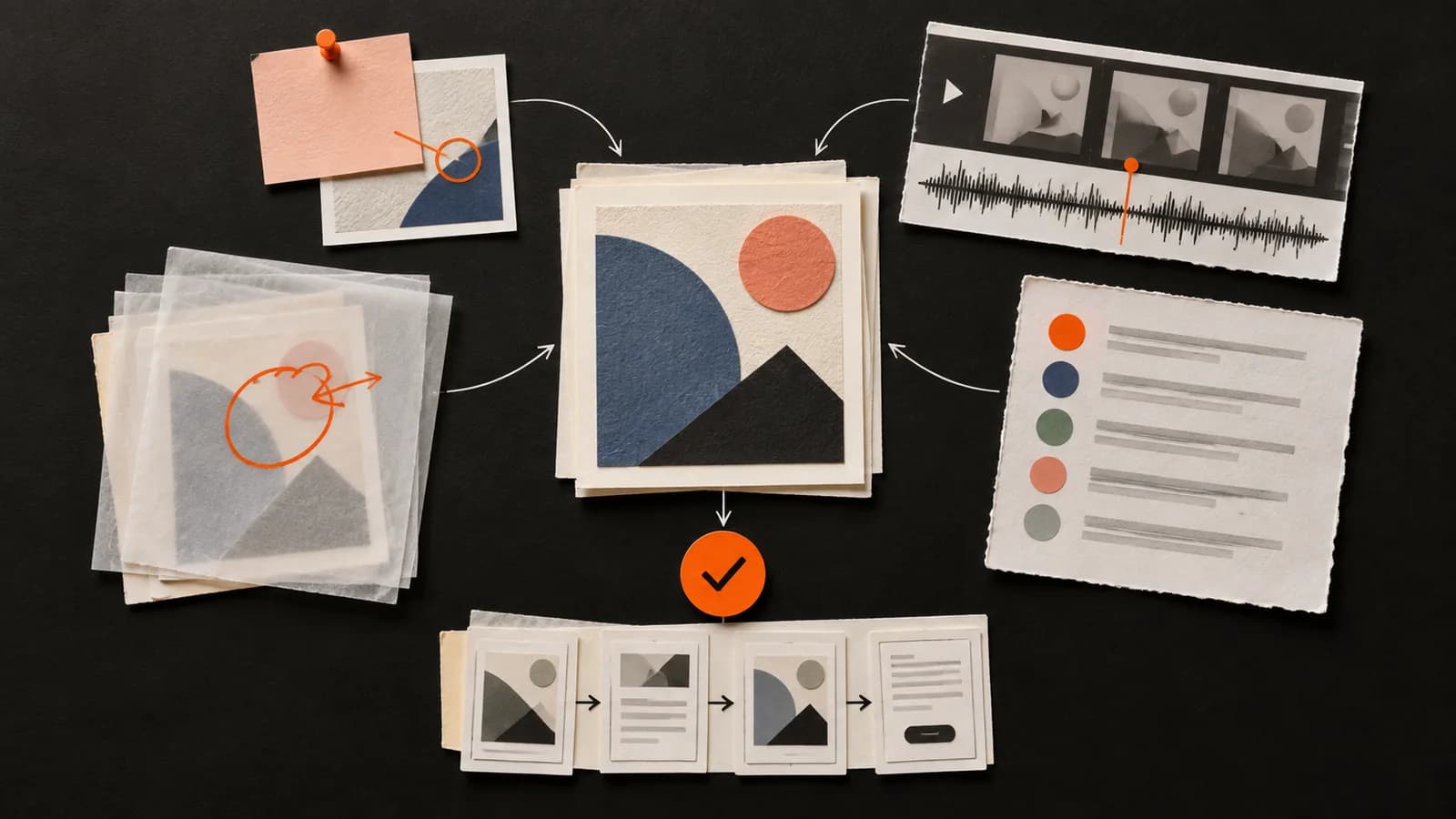
The best tool depends on the feedback job
Most comparison lists treat feedback tools as interchangeable and score them against one imaginary workflow. That hides the most important distinction: a pin on a screen, a narrated walkthrough, a critique, and a usability study answer different questions.
Choose the lightest method that can supply the missing evidence. If the issue needs context, add context. If it needs prioritization, ask for critique. If it needs proof of use, observe users.
Start with the question, not the product
- Where exactly is the issue?
- Use Figma comments for a Figma file or MarkUp.io for a site, image, PDF, or video.Both keep a comment attached to a location. They do not decide whether the comment is strategically right.
- Why does the reviewer think that?
- Use Loom or a live conversation when tone, sequence, and explanation matter.A walkthrough carries nuance that a pin or short comment often loses.
- What should I work on first?
- Use a structured critique—from a trusted person or a service such as The Crit.This is a prioritization question, not an annotation question.
- Can someone complete the task?
- Use a user-testing method or a platform such as Maze.Reviewer opinion cannot prove what users can understand or do.
- Is this approved?
- Use an explicit decision step in the system where the work is managed.Feedback and approval are different outcomes. Name who decides and record the decision.
A comparison without the fake leaderboard
There is no defensible five-star score that can tell you which of these is “best.” Compare them by the work they keep connected, the answer they make easier to get, and the evidence they cannot supply.
- Figma comments
- Point-specific discussion in a Figma fileFastest when the work and collaborators are already in Figma.
- MarkUp.io
- Contextual annotations on sites and filesUseful for distributed website, creative, and QA review.
- Loom
- Narrated explanation with screen contextUseful when order, tone, or demonstration carries the meaning.
- The Crit
- A structured independent second opinionUseful when a designer wants a priority before a deeper review.
- Maze
- Evidence from people attempting tasksUseful when the unknown is behavior rather than reviewer judgment.
Attach the conversation to the design
Figma comments
Comments are available on every Figma plan. Anyone with view access to a file or prototype can comment, which makes this the lowest-friction option for many Figma-native teams.
Use Figma comments when the reviewer already understands the work and needs to point to something precise. A good comment names the observation, connects it to the goal, and makes the requested next step clear. “I don’t like this” remains vague even when it has a pin.
Useful when
- • Pinning a question or observation to a specific place
- • Keeping replies and resolution status beside the file
- • Getting collaborators into the same current design
What it does not prove
A thread does not tell the team which comment matters most, whether a preference supports the brief, or whether a user can complete the task.
Annotate a site or file outside the design tool
MarkUp.io
MarkUp.io supports websites, images, PDFs, and videos. Its current pricing page offers a 14-day trial; Pro starts at $79 per month and includes unlimited users within its plan limits.
This is the practical choice when the thing under review is not a Figma file. It is especially useful for website QA and client review, where “this element, in this state” is more helpful than a detached list of notes.
Useful when
- • Collecting contextual comments on a live or staged website
- • Giving clients and reviewers a shared visual reference
- • Separating concrete annotations from a long email thread
What it does not prove
An annotation can identify a location or defect. It does not determine design quality, priority, audience fit, or usability by itself.
Explain the reasoning in sequence
Loom
Loom's Starter plan is free with up to 25 recordings and a five-minute limit per recording. Its Business plan is currently listed at $18 per user each month.
Use video when the path through the work matters. Keep it bounded: begin with the question, show the evidence, name the consequence, and finish with the decision or next move. A tour of every thought is harder to use than a focused explanation.
Useful when
- • Showing how an interaction or responsive behavior unfolds
- • Preserving tone when written feedback could sound harsher than intended
- • Explaining a connected set of observations in order
What it does not prove
A confident walkthrough is still one reviewer's interpretation. Long recordings can also make decisions and action items hard to retrieve.
Get a structured second opinion
The Crit
Every distinct project gets a free First Read. A one-time $9 Full Crit unlocks the complete critique, every finding, project tools, and one new revision check for that project.
Disclosure: this is our product. We built it for the moment when a designer has work in front of them but not another set of eyes. The useful role is a fast, specific read—not an objective score and not a replacement for someone who knows the project deeply.
Useful when
- • Getting unstuck before sharing work with a teacher, client, or team
- • Finding a visible priority and understanding why it matters
- • Reviewing a project, screen, artifact, or public URL without scheduling
What it does not prove
The Crit cannot know undisclosed brand or organizational context, replace mentorship, approve the work, or prove how users will behave.
Observe people attempting a task
Maze
Maze supports prototype, live-website, and other research studies. New workspaces currently receive a 30-day trial with up to three studies, followed by a limited free plan unless upgraded.
Maze belongs in this guide because critique often produces a question that opinion cannot settle. When someone says “users might miss this,” turn that concern into a testable task instead of asking more reviewers to vote on it.
Useful when
- • Testing a prototype or live experience with participants
- • Collecting task, path, and response evidence at scale
- • Investigating a usability risk raised during critique
What it does not prove
A metric needs a sound task, suitable participants, and interpretation. Testing also does not replace craft critique, brand judgment, or stakeholder decisions.
Build a useful feedback workflow
Do not assemble a stack because a comparison article says you need one. Add a method only when the current workflow leaves a meaningful question unanswered.
- 1Name the decisionState what is still open, who will use the answer, and what can change. This keeps feedback from expanding into an unbounded review.
- 2Choose the evidenceUse a point comment for location, a walkthrough for explanation, critique for judgment and priority, or testing for behavior.
- 3Ask for reasoningA useful response connects an observation to the goal. Keep preference, interpretation, and verified evidence distinct.
- 4Record the decisionClose the loop with what will change, what will be tested, what stays, and why. More feedback is not progress until it changes a decision.
Feedback collection
What did people say?
Comments, annotations, and recordings preserve reactions and explanations. They still need synthesis and a decision.
Feedback practice
What did we learn and do?
Useful practice separates signal from preference, checks the evidence, and records the next move.
Before adding another tool
- Identify the feedback question your current method cannot answer.
- Check whether the missing piece is context, judgment, decision authority, or user evidence.
- Use the real artifact and workflow during any trial—not a polished demo project.
- Decide where feedback becomes an action and where final decisions are recorded.
- Recheck current plan limits and pricing before committing; product offers change.
Sources and product checks
Product access and pricing were checked September 14, 2026. Follow the product links for the latest limits and terms.
QuestionsAnswers
Questions, answered.
A few practical details before you keep going
Keep learning
Share this resource

Written by
Nikki KippleProduct Designer & Design Instructor
Designer, educator, founder of The Crit. I've spent years teaching interaction design and reviewing hundreds of student portfolios. Good feedback shouldn't require being enrolled in my class — so I built a tool that gives it to everyone. Connect on LinkedIn →
Want a second opinion on the work itself?
Share one project, screen, or public URL. Your free First Read gives you a grounded priority; the $9 Full Crit opens the complete review and one revision check for that project.