Portfolio Development
Portfolio Layout Examples
Six useful portfolio patterns, what each one makes easier, and what to check before you commit to the layout.

The short read
Start with the reader’s task
Help someone identify you, choose relevant work, and understand what to open next.
Every pattern has a tradeoff
A layout that creates focus may reduce range; one that shows range may flatten priority.
Test the real content
Use your longest title, least tidy image, narrow screens, zoom, and keyboard navigation.
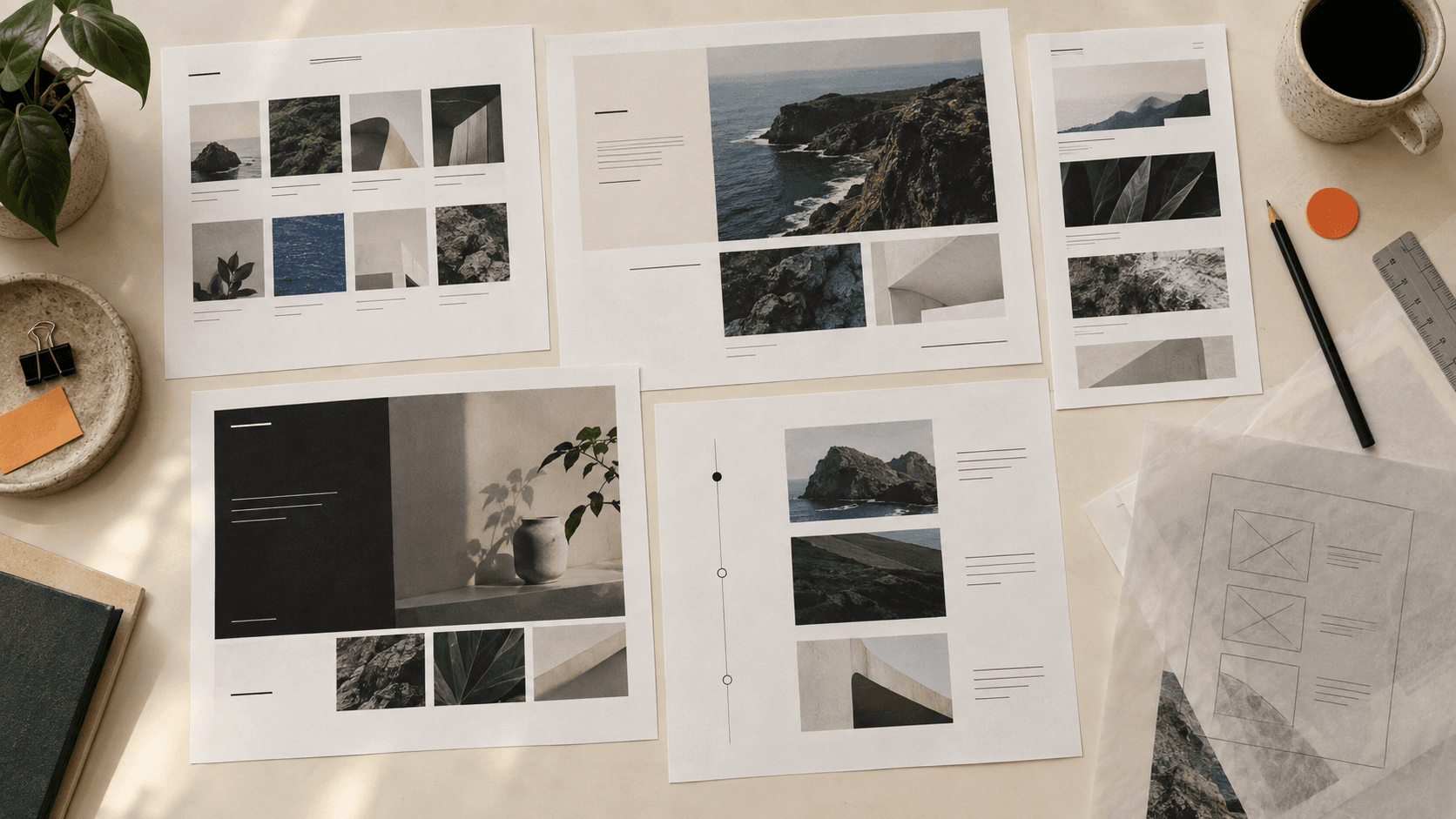
Start with the job the layout needs to do
A portfolio homepage is not the full case for every project. It is the front door: it establishes who made the work, helps someone find a relevant project, and gives enough context to decide what to open. The project page can then explain the problem, your role, decisions, evidence, and outcome in detail.
This distinction matters because most layout problems are really content-priority problems. A grid cannot decide which work is most relevant. A dramatic hero cannot repair a vague project title. A long scroll cannot create a useful story from five unrelated previews. Choose the structure after you know what the reader should understand and what evidence supports it.
A useful portfolio homepage lets someone
- Understand your role, focus, or point of view without decoding a tagline.
- See enough project context to choose what is relevant to them.
- Distinguish featured work from supporting or older work.
- Move to About, resume, contact, and other important routes without hunting.
- Use the same essential paths on a narrow screen, with zoom, and by keyboard.
1. Curated grid
A grid gives several projects comparable visibility. It works well when the work can be recognized through a strong image, specific title, and short line of context. The cards do not need identical content, but their structure should make comparison easy.
Makes easy
Scanning for range
Can hide
Priority and depth
Use a curated grid when several projects deserve a first look and their covers can carry meaningful differences. Watch for generic device mockups, cropped images that conceal the actual work, and titles that depend on opening every card to understand the project.
2. Feature-led homepage
One project receives the strongest visual and editorial treatment, while supporting work appears below or beside it. This can create a clear first move when one project is especially relevant, recent, or representative of the work you want next.
Makes easy
Directing attention
Can hide
Breadth and alternatives
Give the featured project a reason for being first. A short line about the problem, contribution, or outcome is more useful than a large image alone. Keep an obvious route to the rest of the work so the page creates focus without becoming a dead end.
3. Guided scroll
A guided scroll reveals project previews in a deliberate sequence. It can connect work through a shared practice, career shift, or point of view. Each section should still function as a useful preview—not a compressed full case study.
Makes easy
Creating a sequence
Can hide
Choice and orientation
Use clear project headings, stable navigation, and direct links to individual project pages. Be careful with scroll-triggered reveals: the work should not disappear when motion is reduced, JavaScript is delayed, or someone uses a keyboard rather than a trackpad.
4. Compact index
A compact index uses a concise introduction and a direct list of projects, sometimes with small previews or details that appear on focus and hover. It is useful when titles, clients, roles, or media already carry meaningful context and when the work lives across several destinations.
Makes easy
Fast orientation
Can hide
Visual proof
Minimal does not mean context-free. Add the smallest amount of information that makes each choice credible: the kind of project, your contribution, the medium, or a specific outcome. Make any preview available on keyboard focus and touch—not hover alone.
5. Editorial index
An editorial index mixes image sizes, text lengths, and project groupings to create hierarchy. It can make a portfolio feel highly authored, especially when the work spans different scales or media.
Makes easy
Showing emphasis and character
Can hide
The underlying system
Start from a real grid even when the result looks loose. Define a limited set of project treatments and decide what earns each one. On smaller screens, preserve the intended order rather than trying to miniaturize the desktop composition.
Choose by evidence, not by seniority
Junior designers do not automatically need busy portfolios, and senior designers do not earn the right to be cryptic. The useful question is what evidence you have and what the intended reader needs to compare, understand, or trust.
Match the structure to the work
- Several visually distinct projects
- Start with a curated grid.It supports comparison without assigning a false winner.
- One project best represents the next role
- Use a feature-led homepage.Lead with relevance, then keep the supporting work easy to reach.
- The projects form a clear progression
- Try a guided scroll.Sequence can reveal the connection, but preserve direct project links.
- Titles and roles carry useful context
- Use a compact index.Let typography and precise labels do the work without withholding proof.
- The work spans different scales or media
- Build an editorial index.A small set of deliberate treatments can express hierarchy and range.
- A large body needs persistent categories
- Consider a sidebar library.Use it only when the information architecture benefits from the added navigation.
If none of these descriptions fits, do not force one. Sketch two structures with your real content and compare them. The layout that looks more impressive while empty may become the weaker option once it has to carry long titles, uneven images, confidentiality notes, and honest project context.
Keep the argument intact on smaller screens
Mobile design is not a command to make every portfolio a single column. It is a requirement to preserve the information, functionality, and intended reading order when the available space changes. A grid may stack, an editorial index may simplify, and a sidebar may become a menu—but the reader should still know who you are, what work is available, and where they are.
Evidence-based checks
- Check that non-exempt content reflows without two-dimensional scrolling at a width equivalent to 320 CSS pixels, following WCAG 2.2 criterion 1.4.10.
- Resize text to 200% and confirm that project titles, navigation, and controls do not overlap or disappear, as described by criterion 1.4.4.
- Give pointer targets enough size or spacing. WCAG 2.2 AA sets a 24 by 24 CSS-pixel minimum with documented exceptions in criterion 2.5.8.
- Use a keyboard to reach every project, open and close navigation, and see where focus is.
- Check touch, slow loading, long titles, missing images, and reduced motion on real devices as well as browser tools.
Test the decision before rebuilding the site
You do not need a polished prototype to compare layout directions. Use the real project titles, images, descriptions, and links in two rough versions. Then ask someone to complete a small task instead of asking which version they like.
- 1Name the reader and the question.For example: Can a product design lead find the project that best shows systems work?
- 2Build two low-fidelity structures with real content.Keep the visual polish comparable so you are testing organization, not finish.
- 3Give someone a realistic task.Ask them to choose a relevant project, explain what you contributed, or find a way to contact you.
- 4Notice where the structure changes the answer.Record what they understood, what they skipped, and where the next move became uncertain.
- 5Refine the stronger direction.Keep the parts that improved orientation and remove treatments that added style without helping the decision.
Once the homepage makes the right projects easier to find, review the project stories separately. The layout can open the door, but the case study still has to explain the work. Use the case study structure guide for that deeper layer, or the complete portfolio guide to audit the full portfolio shell.
Sources and standards
The layout recommendations are professional judgment grounded in portfolio review and teaching practice, not a promise that one template produces a hiring outcome. The measurable accessibility checks reference these W3C sources:
QuestionsAnswers
Questions, answered.
A few practical details before you keep going
Share this resource

Written by
Nikki KippleProduct Designer & Design Instructor
Designer, educator, founder of The Crit. I've spent years teaching interaction design and reviewing hundreds of student portfolios. Good feedback shouldn't require being enrolled in my class — so I built a tool that gives it to everyone. Connect on LinkedIn →
The right layout depends on the work inside it.
Share the portfolio as it stands. We will show what a reader can understand from the homepage now—and what a deeper Full Crit could examine across the portfolio shell.